
ComputerTraining
ByLeAnn.com
Experience = Results
Your 2013 Microsoft Office Expert: Word, Excel, PowerPoint, Access
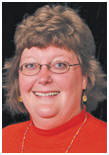
LeAnn Conrad
Microsoft Office Computer Instructor
conrad@hbci.com

|
ComputerTraining ByLeAnn.com |
Computer Training by LeAnn Experience = Results Your 2013 Microsoft Office Expert: Word, Excel, PowerPoint, Access |
507-450-1015 LeAnn Conrad Microsoft Office Computer Instructor conrad@hbci.com |
|
Home | Computer Classes | Help Desk | Satisfied Customers | About LeAnn Conrad | Experience | Ribbon Cutting
Computer Classes

Email dates that work for you. 1 on 1, Small, or Large Group (up to 12 students).
Beginning Word 2007 & 2010 & 2013
Intermediate Word 2007 & 2010 & 2013
Beginning Excel 2007 & 2010 & 2013
Intermediate Excel 2007 & 2010 & 2013
Access, PowerPoint, & Keyboarding
Advanced Word or Excel
LeAnn Conrad offers private 1-on-1 off-site classes as well as off or on-site group classes. Small - large groups. Beginning - advanced. You will see immediate results. Guaranteed.
Location choices: off-site lab above (overhead projector, white board, holds up to 12 students), my office (up to 2 students), or at your location.
Recommended: Standard Classes 6 hours at $35 per hour for 1 student. $50 per hour flat fee for 2 or more students. Textbooks $35 each.
Minimum of 3 hours required.
Email or call with dates that work.
Word- create and edit documents, move and copy text, format characters and paragraphs, create and manage tables, control page layout, use proofing tools, work with Word's email and hyperlink features, work with sections and columns, format tables, import Excel data, create and manage styles, headers and footers, print documents, labels, and envelopes, work with graphics, use templates, create custom templates, and the list goes on. You'll learn how to create business letters, posters, tables, and even book-length publications. (Whatever you need... It's endless what I can teach.)
Excel- basic functions and features, enter and edit data, labels, and formulas, work with functions, format cells, print worksheets, create charts, print worksheets, save a workbook as a web page, work with large worksheets, 3D formulas, customize Excel's toolbars and menus, apply special cell formatting, sort and filter lists, create advanced charts and trendlines, use the auditing features, work with templates, troubleshoot formulas, created nested formulas, export/import data, perform what-if analysis, goal seek, solver, and record and run macros. (Whatever you need... It's endless what I can teach.)
Access- basic functions and features of Access, how to plan and create a database, work with queries, tables, and forms, filter records, generate reports, how to set table relationships, work with lookup fields and subdatasheets, create join, crosstab, parameter, and action queries, pivot tables and pivot charts, data access pages, and hyperlink fields, run macros, import, export, and link database objects.
PowerPoint- basic functions and features of PowerPoint, create presentations, rearrange and delete slides, use the Ribbon, and align text, work with objects, Autoshapes, text boxes, fill colors, WordArt, and other image types, create tables, apply design templates, add headers and footers, proof and print your presentation, and save the presentation for the web.
And Keyboarding -Stop typing with your pointer fingers. Learn to type correctly. You'll become faster at typing with less mistakes. Type correctly and you'll save a lot of time on every computer project you do.
| Home | Microsoft Office 2013, 2010, & 2007 Classes | Help Desk | Ribbon Cutting |
| About LeAnn Conrad | Computer Experience | Satisfied Customers | Email |
You will see immediate results. Results Guaranteed!